
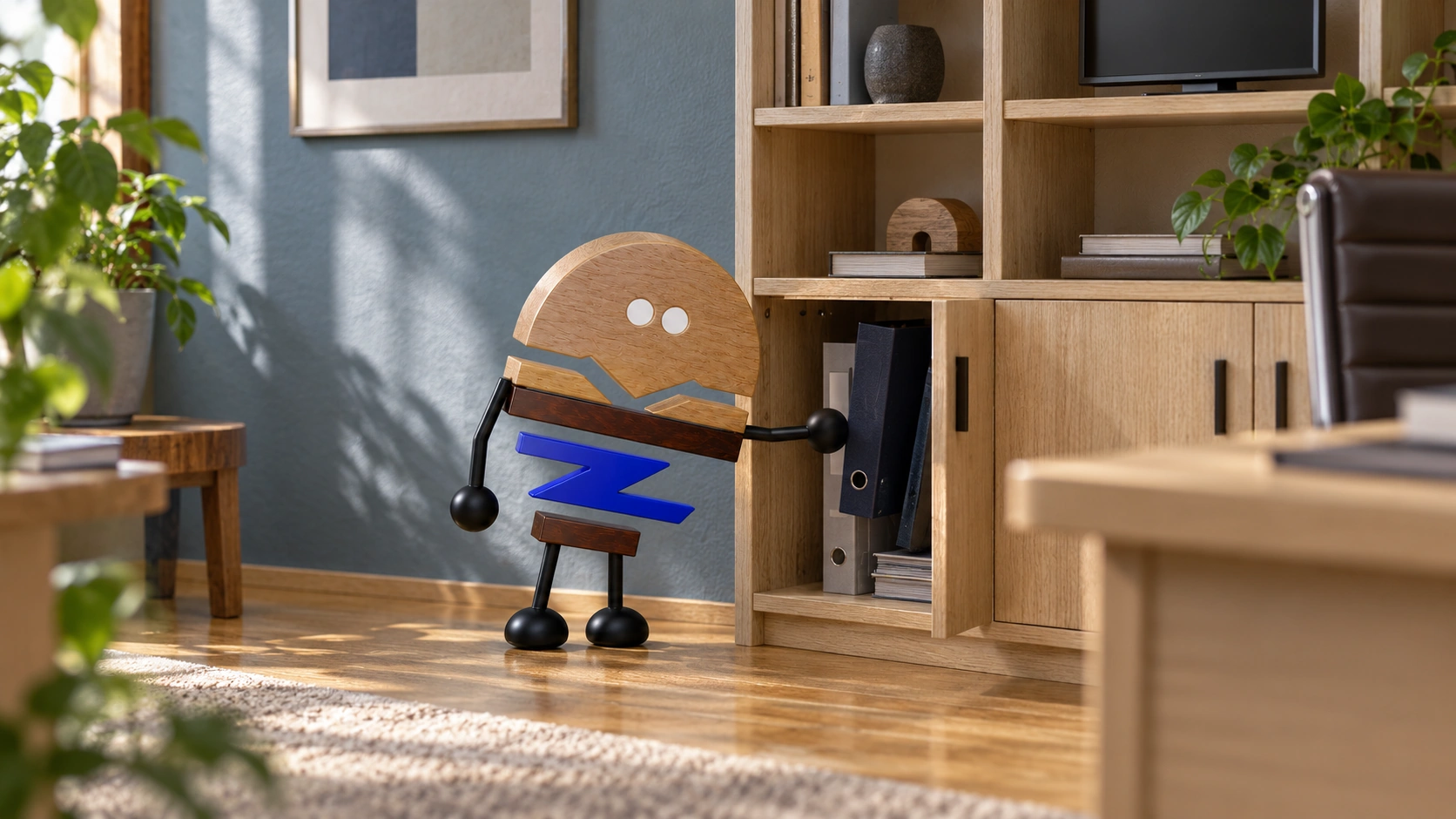
An executive office backdrop takes shape through more than a back cabinet. Plan desks, cabinets, walls and equipment together around storage, sightlines and the movement between activities.
An executive desk and rear cabinet can form a combination, but adding walls, screens, clothing, display objects and temporary items turns the backdrop into a more complex relationship. Separately choosing attractive furniture can produce conflicts in height, depth and access; forcing everything into uniformity can hide different responsibilities.
DeskMakers' official ERA page presents desks, storage and wall components within a shared design language. This article examines the roles, shared reference points and connections that let desks, cabinets, walls and equipment shape the backdrop while supporting day-to-day work.
Meichun observation · 01
Separate the contents of the backdrop first.
Work documents, display objects, clothing, equipment and temporary items differ in visibility, access frequency and storage method. Classify them before deciding open or closed and near or far, preventing every need from being pressed into one type of cabinet compartment.
Consider the background for video meetings alongside everyday use. Display density, equipment positions and temporary objects all affect the image, but everything need not be hidden. Give visible contents and stored-away contents their own places.
Suppose frequently used files and display objects share the rear wall. Prioritise retrieval for files and viewing for display. Arrange depths, openings and internal positions separately, retaining distinct roles within a shared visual language for clear use and display functions.
Meichun observation · 02
A shared reference does not mean every line must align.
Top surfaces, side edges or joints can establish an overall reference, while variations should have a use-related reason. Desks, cabinets and walls need not share one height and depth, but explain which relationships remain and which change for equipment or access.
An orderly front grid may create projecting cabinet corners or inaccessible narrow gaps at the side; a continuous outline on plan may restrict doors. Review shared references in front, side and plan views together.
Visual alignment does not replace installation allowance or operating routes. If a part changes only to join a line, still review actual use and manufacturing conditions, recording affected connections, edges and installation positions together.
Where relationships cannot all align, set priorities: access for use, equipment conditions or the main viewing face. Clear trade-offs make later review easier than forcing every line to align on an elevation, and give design changes a reason.
Meichun observation · 03
Plan equipment connections as a distinct part of the scheme.
Screens, power and communication equipment change wall and cabinet arrangements. Discuss equipment versions, installation, cable direction and service positions before confirming furniture, keeping furniture interfaces coordinated with the specific equipment version.
Equipment hidden when closed does not mean operation and maintenance are resolved. Openings, tool routes, fittings and removal methods need to correspond to actual objects. Record equipment installation, cable direction and service access together for coordinated configuration.
When upgrades are planned, distinguish adjustable interfaces from areas that need remaking. Equipment changes may affect one panel or a larger area. Make that dependency clear rather than calling it a complete technology system in general terms.
Meichun observation · 04
Overlay actions at the desk with actions at the wall.
Moving a chair backwards, turning to retrieve an item, opening cabinet doors, servicing equipment and a visitor staying may all use the same space. Separate drawings of each item's open state can still miss conflicts when actions happen together.
Start with an everyday sequence: leave the working surface, open frequently used storage, take out documents, close it and return. Then check whether the route remains clear when visitors or other furniture are in use.
If a frequent action always requires other furniture to be moved aside, reconsider the activity position. More cabinets or a fully fitted wall do not necessarily increase effective storage. Clear retrieval relationships deserve comparison.
Meichun observation · 05
Material relationships have visual and practical roles.
Timber on the main desk, cabinet boards and wall colours can establish layers together, but similar surfaces do not mean identical structure or cleaning methods. Describe frequently touched, object-supporting and viewed areas before comparing materials.
Place neighbouring samples together under the same light and relate them to actual areas, grain and edge surfaces. Do not describe every surface as one timber species merely to unify an image, or treat natural variation as a mismatch between digital colour blocks.
When a detail changes, record the areas retained and altered. This avoids a request to change one surface being understood in production as recolouring the whole backdrop. Project confirmation should identify combinations and positions rather than only one colour code.
Meichun observation · 06
Distinguish products, combinations and project changes.
Product pages introduce individual features, combination proposals organise the overall relationship, and project configurations record dimensions, finishes and interfaces. These forms of information connect so selection and installation follow one version.
Final documents should retain the object list, configurations, junctions and interfaces needing review. Overall views introduce spatial relationships, while configuration schedules and detail records explain component connections for installation and later additions.
Organising the backdrop with desks and wall cabinets does not mean merging them into one enormous product. It gives work, storage, display and servicing clear places. The result feels coherent when each part has a clear role, rather than when one colour is used to conceal every difference.
PRACTICAL CHECKLIST
Bring these questions to the table.
Use these points to discuss product selection, configurations and the requirements of your project.
- 01Separate roles
Arrange documents, display, temporary items and clothing separately rather than choosing cabinets only by appearance.
- 02Shared references
Review height, depth, gaps and approach routes in front, side and plan views together.
- 03Interface conditions
Confirm equipment and specialist installation conditions first; an opening is not a complete technology system.
- 04Version relationships
Retain the object list, configurations and interface records rather than only one rendering.
Official brand product information informs the discussion of office furniture and space. Meichun perspectives and manufacturing notes express our views on products and making.
Original illustrations use the Meichun logo character and furniture to introduce product, component and spatial relationships.
- DeskMakers|ERA · Private Office
The official combination of desks, storage and wall elements provides a reference for a shared design language. Role classification, references and connection checks are Meichun's extended observations on work and backdrops.
View official source ↗ - Meichun|Meichun perspectives on selection and manufacturing · 2026-10-04
Meichun shares perspectives on selection and configuration through use scenarios, product relationships and manufacturing methods. Original illustrations introduce the arrangement of furniture, components and space.